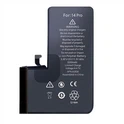
Precisely because of the importance of mobile phones to daily life, most users are very concerned about the power of mobile phones. When you feel that your phone is powering down quickly, or you notice that it is also powering down at night standby, you will feel worried and anxious. Is your iPhone malfunctioning? Is the problem caused by the upgrade system? For these problems, the following suggestions and solutions are given:
First, confirm whether the device really has an "abnormal power failure" condition:
When the device is in use, especially after watching videos, playing games, or restoring the device, iCloud is downloading synchronized photos, using map navigation, etc., and it will feel that the power is off quickly. This situation is very normal, because these operations do consume more power. If it is in standby, for example, the power drops by 10% overnight, it is not an abnormal situation for a mini model with a small battery capacity.
If you see a 20% or more power drop on your iPhone overnight, or there is a very obvious power loss when not in use:
1. Check the battery health. Open iPhone Settings-Battery-Battery Health, check the maximum battery capacity, if it is 80% or lower, it is recommended to replace the battery to improve the power failure problem.
2. If the battery health is not very low, for example above 90%, you can try to restart the device and then observe. If the problem does not recur, it may be caused by a temporary system bug, so don't worry too much.
3. If the problem still reappears after restarting, check whether any apps are consuming power during standby. Open iPhone Settings-Battery, click on a certain period of activity, for example, you can check whether there are apps still running abnormally in the background during standby at night. If there is such a situation, you can try to update the app to the latest version, disable the app in Settings-General-Background App Refresh, or simply uninstall the app and check it out.
4. Pay attention to whether the SIM card has been used for a long time: If the SIM card in the device has been used for many years, the old card may consume more power in the device when acquiring signals, and you can consider replacing it with a new card.
5. For newer models, you can try to update to the latest version of the official iOS system to see if the problem is improved. Apple officials have always recommended users to update the system, because its software updates usually include advanced energy-saving technologies, which will bring some related optimizations and problem fixes.
If none of the above methods solve your problem, and the abnormal power failure has affected daily use, it is not ruled out that there is a hardware problem, and you need to contact Apple's official after-sales service for repair.