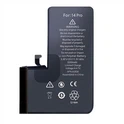
Eparts phone battery manufacturer shows you how to protect your iPhone battery. Follow the steps, it is very easy to protect your iPhone battery and extend your iPhone usage time.
1. Low Power Modes and Performance Management
You can turn on Low Power Mode under Settings > Battery.
You can turn on Low Power Mode under Settings > Battery. However, it's useful to have quick access to Low Power Mode in Control Center. Another feature similar to automatic low power mode is iOS performance management. Essentially, if your iPhone's battery is only 20% charged, performance will automatically decrease to save battery and prevent it from turning off unexpectedly.

2. Auto lock and screen brightness
A 30-second auto-lock will help you maintain maximum battery life. Especially since most of Apple's iPhones support wakeup, 30 seconds is worth it.
Lowering the screen brightness can also help improve battery life, but this may come down to personal preference. You can do this in Control Center (swipe down from the top right) or in Settings > Display & Brightness
3. Hot and cold temperature
Apple states that the ideal ambient temperature for iPhone and other Apple devices is 62° to 72° F (16° to 22° C). Temperatures above 95° F (35° C) may "permanently damage battery capacity."
In addition to doing your best to keep your iPhone away from heat sources, it's a good idea to remove your iPhone case if you find it gets hot while charging.
Additionally, temperatures below 32° F (0° C) may temporarily shorten battery life. If you live in a cold climate, keeping your iPhone in an inner pocket close to your body can help extend battery life by keeping you warm.
You may think it is very simple, but many people do not do it. This also leads to occur many mobile phone battery problems.