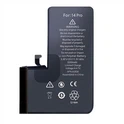
While charging your phone's battery, you may experience intermittent charging of your phone. This greatly affects your charging speed, work and entertainment needs. So what is the reason for the intermittent charging of the mobile phone battery, and how to solve it? The following article will help you understand.
First, the reason why the mobile phone charger is slow
There are many reasons that cause the mobile phone battery to flash and fail to charge the battery.
-Pipeline and charging cable failure: The charging cable is broken in the ground or the charger is damaged, resulting in the failure of the power supply to supply power to the mobile phone. This is the main reason why mobile phones charge slowly.

-Because the connection port on the phone is dusty: Reduce the contact between the charging port and the cable. This causes intermittent charging.
-Due to damage to the phone battery: The possibility that the phone battery cannot be charged due to a damage to the phone battery cannot be ruled out. If you use your phone for a long time without replacing the battery, the battery life will most likely decrease.
- Loose charger plug: When the charging plug is loose, it will cause the power supply to flicker.
-There are many applications running in the background: applications running in the background will cause freezes and affect the charging speed of the battery.
- Low-capacity charger: If the capacity of the charger is lower than that of the mobile phone, it will also cause unstable charging of the mobile phone.
-Hardware error: If your phone is not charging due to the above reasons, there is a good chance that your phone has a hardware error.
2. What to do if the mobile phone charger flickers
2.1. Cleaning the charging port
There is dust and rust on the charging port, which is the reason why the mobile phone charges intermittently. Therefore, you need to use a soft cloth or cotton swab dipped in alcohol to clean the charging port, and then wipe it gently. Never hit the charging port hard, use a too wet rag to clean the charging port.

2.2. Replace with a new charging cable
If the reason for the slow charging of the mobile phone comes from the charging cable, please replace it with a new charging cable without hesitation. Maybe just a light bulb or cable is out. Try to charge the phone battery with the old charger and the new charging cable, if it still charges normally, the old charging cable is damaged, and vice versa. However, you should choose to buy a charger that fits your phone's capacity at a reputable, genuine place to ensure fast and safe charging.
2.3. Restart the phone
One of the ways to fix problems with your phone is to restart it. After starting the device, try plugging in the charger to see if the battery charging error is fixed.
2.4. Replace the battery with a new one for the phone

If the mobile phone battery is used for a long time without replacement, it will cause damage to the battery and shorten its life. Therefore, to quickly charge the battery, you need to replace the mobile phone with a new battery. At that time, the slow charging of mobile phones will definitely be overcome.
2.5. Restore the phone to factory settings
A malfunctioning mobile phone operating system is also the cause of slow charging. Perform a factory reset on your phone to restore everything to factory defaults. Note that when performing this step, the data in the phone will be lost, please back up the data to the memory card.
2.6. Closing applications running in the background
Removing apps running in the background will help the phone charging process to be faster and more stable.
2.7. Check whether the power supply is stable
A flickering phone charger could come from an unstable power source. Please continue to check whether the power supply is stable, plug in the light bulb or fan, if the light bulb or fan flickers, the power supply is unstable. At this time, it is necessary to find an electrician to check and deal with it in time.
2.8. Update new software version
In case the mobile phone uses old software, it will affect the charging process of the mobile phone battery if you are not careful. Therefore, you need to update new software to fix the flashing charging situation.